
Setup Guides 
Install IPTVMain in minutes
Follow the IBO Player Pro installation and activation guide for your device — with screenshots for every step. Stuck at any point? Our team is one live chat or email away, 24/7.
Heads up: several copycat apps imitate IBO Player Pro. Install the genuine app shown here to qualify for free activation.
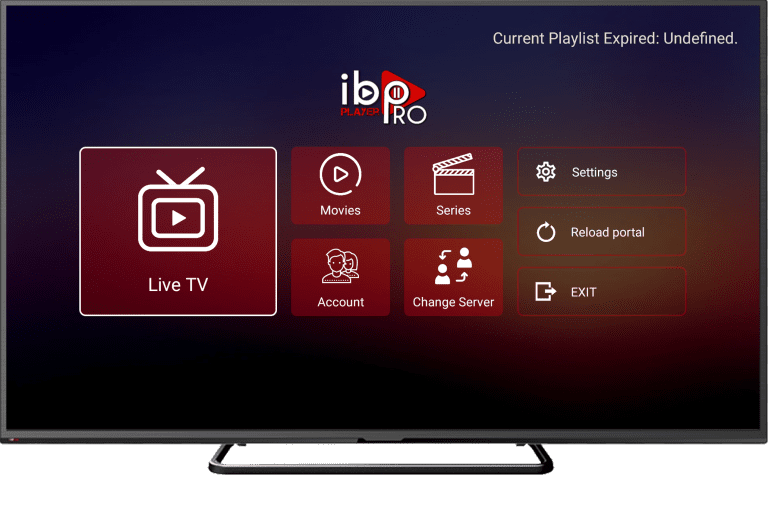
Detailed installation guides — select your device
Getting started with IBO Player Pro
- Download the app. Open your device's app store, search exactly for "IBO Player Pro", then download and install the official application.
- Launch IBO Player Pro. Open the app. On the main screen, note down the MAC Address and Device Key displayed — you'll need both for activation.
- Submit your details. Send your MAC Address and Device Key to us via live chat, WhatsApp or email (contact@iptvmain.io) for activation.
- Activation confirmation. IPTVMain processes your activation remotely. Prefer an M3U link or Xtream Codes? Enter the details we email you into the app — exactly as provided.
- Restart the app. Once you receive confirmation, close and reopen IBO Player Pro on your device.
- Enter your playlist. Navigate to the playlist section and enter the IPTVMain playlist URL or upload the playlist file we provide.
- Enjoy your content. Your channels are now live. Start streaming thousands of channels and VODs in 4K.
Install IBO Player Pro on Firestick
- Select FIND. From the FireStick home screen, select FIND.
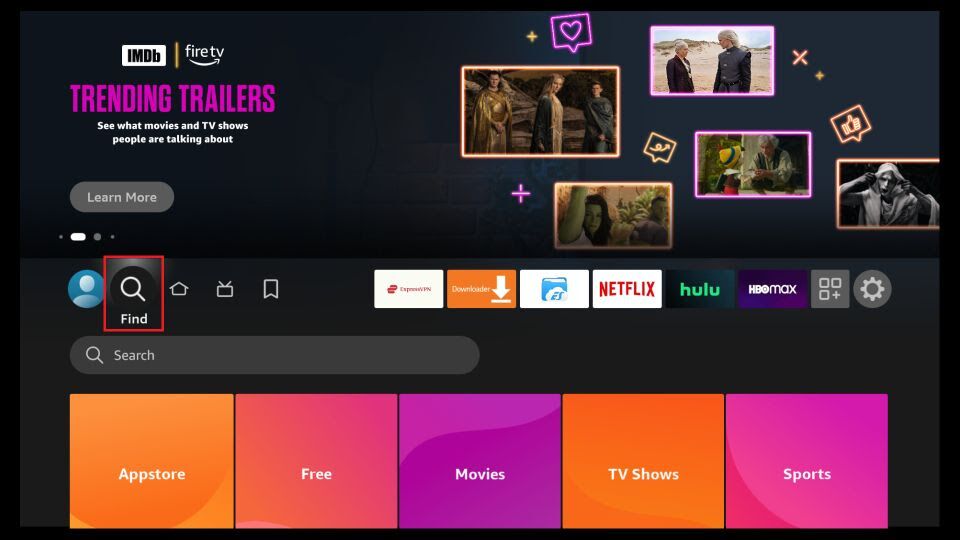
- Click Search. Now click Search.
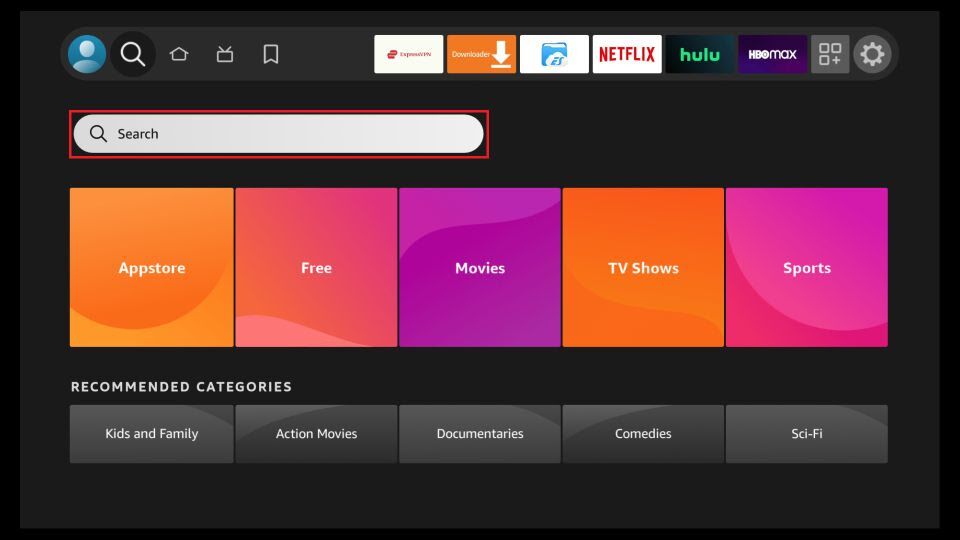
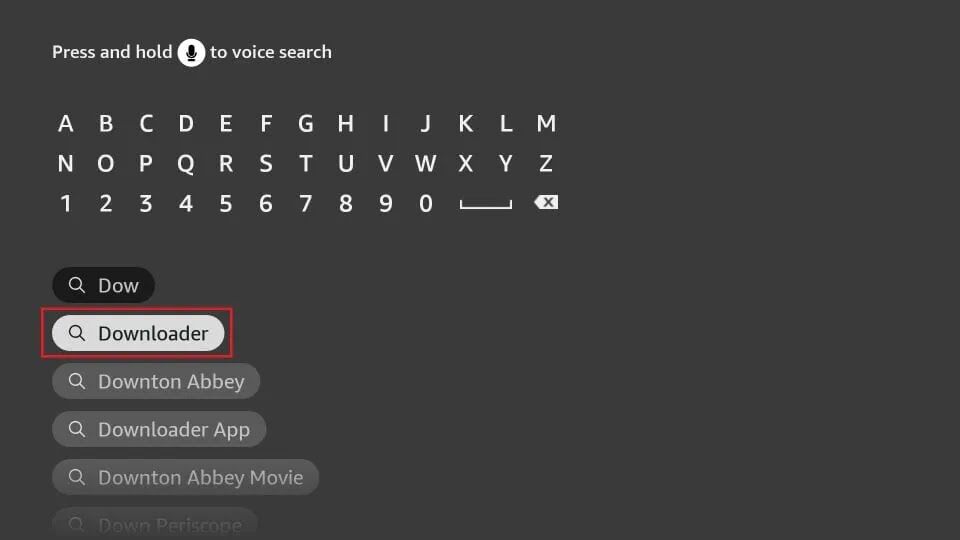
- Get Downloader. Search for the Downloader app and install it — we'll use it to sideload IBO Player Pro.
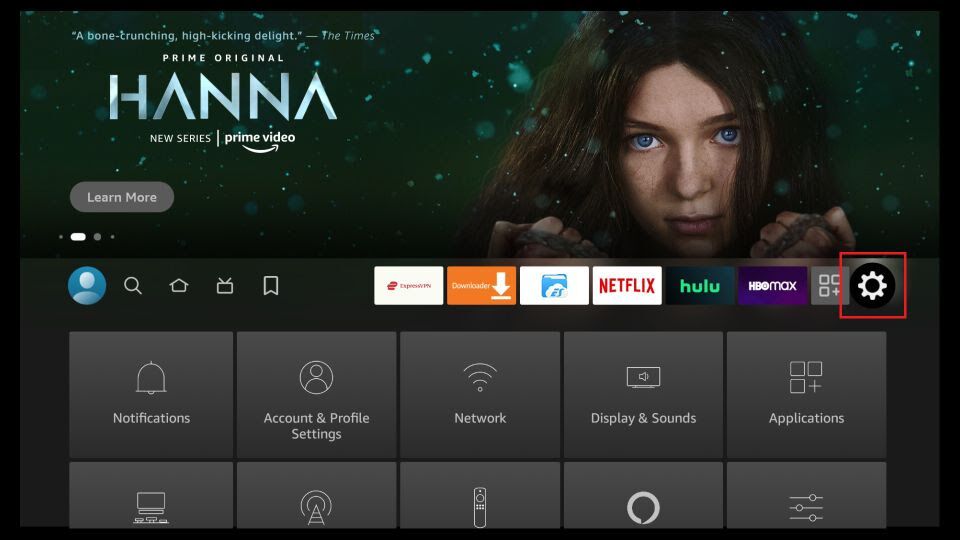
- Open Settings. After installing Downloader, go back to the home screen and select Settings.
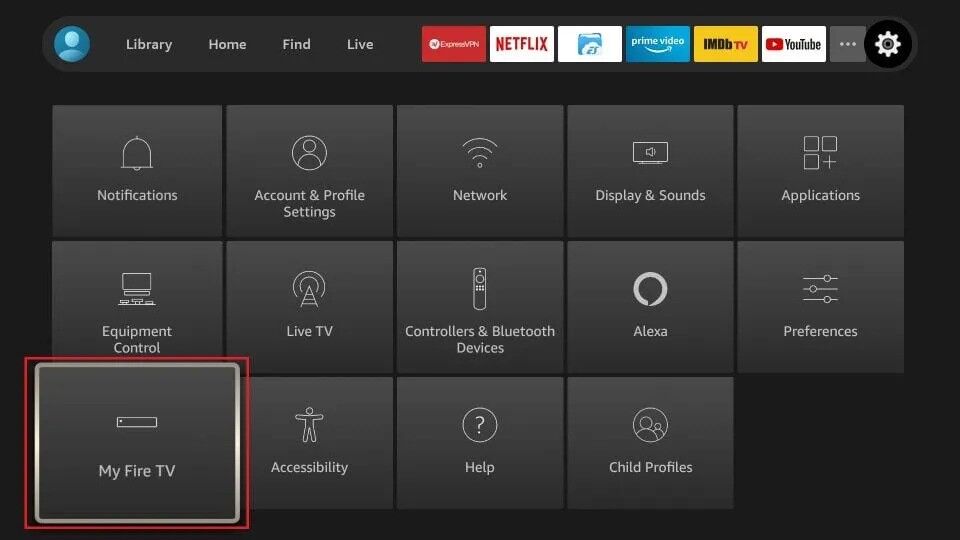
- My Fire TV. Within Settings, open the My Fire TV option.
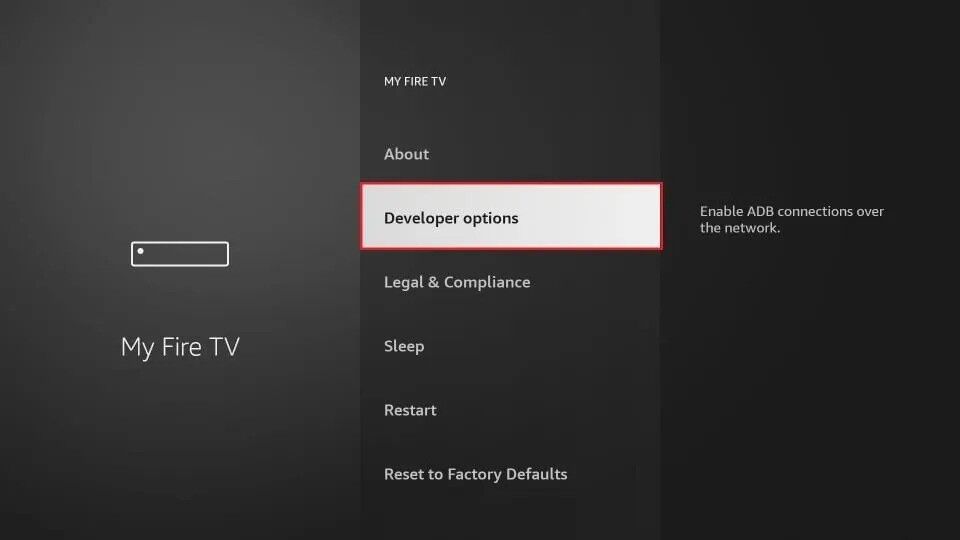
- Developer Options. Open Developer Options. If you don't see it, go to Settings → My Fire TV → About, select Fire TV Stick and click it 7 times to enable it.
- Install Unknown Apps. Click Install Unknown Apps. (On the older interface this is called "Apps from Unknown Sources".)
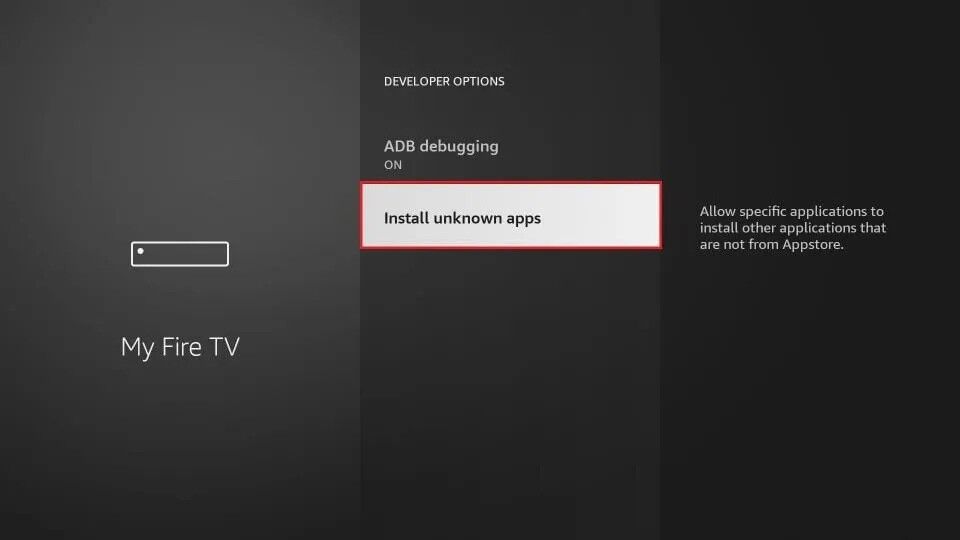
- Enable for Downloader. Turn the option ON for the Downloader app.
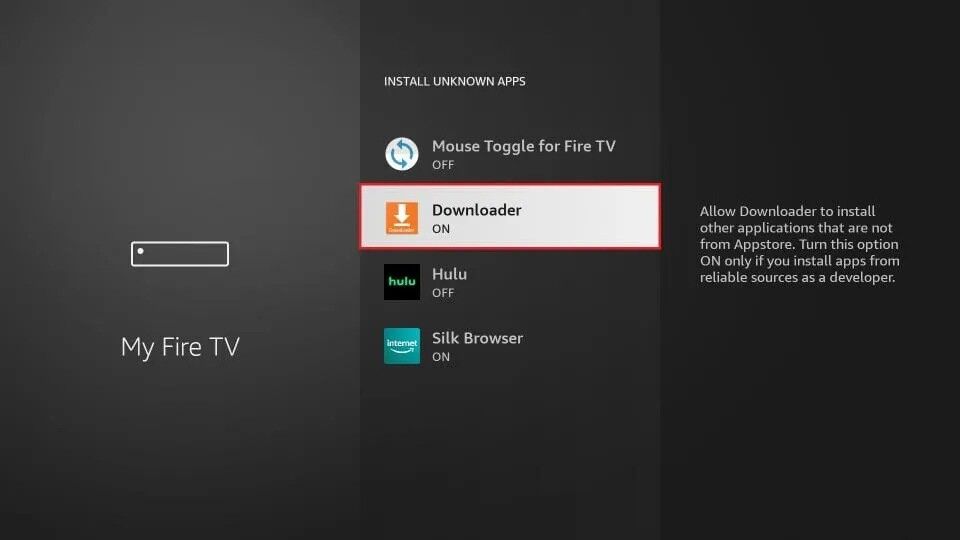
- Open Downloader. Open the Downloader app. Dismiss the first-run prompts, then click the URL text box.
- Enter the code. Type in the Downloader code 834339 and press Go, then wait for the IBO Player Pro APK to download.
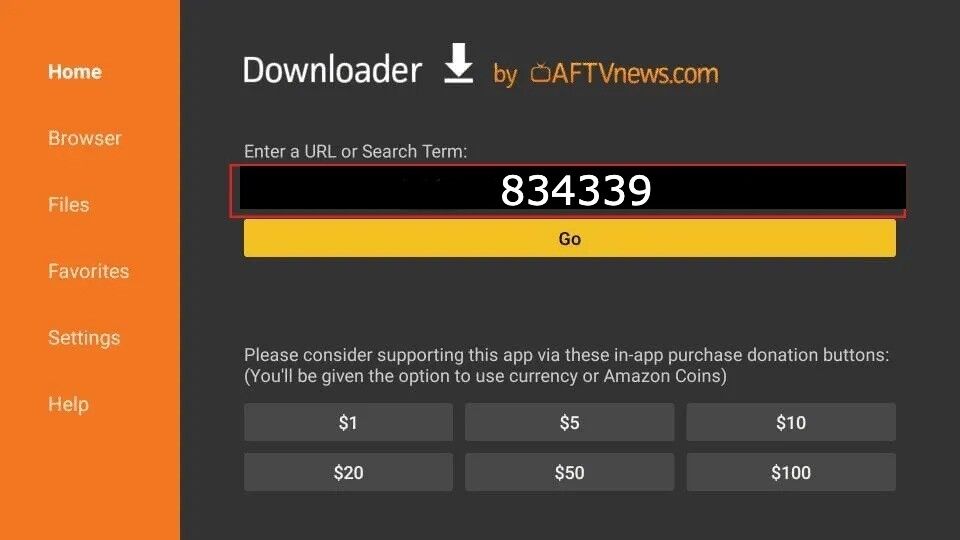
- Install & open. Downloader runs the APK automatically — click Install, then open the app and follow the activation steps below.
Android & Smart TV
- Open your store. On Android, open Google Play; on LG open LG Apps; on Samsung open Samsung Apps — then search for "IBO Player Pro".
- Install the genuine app. Download and install the official IBO Player Pro (check the icon above), then open it.
- Activate. Note the MAC Address and Device Key on screen and send them to us via live chat or email (contact@iptvmain.io).
- Add your playlist. Once we confirm activation, follow the app activation steps below to add your playlist and reload.
iPhone & iPad
- Get the app. Open the App Store and search for "IBO Player Pro", then install the genuine app.
- Launch. Open IBO Player Pro and note the MAC Address and Device Key.
- Activate. Send those details to us over live chat or email (contact@iptvmain.io) and we'll activate your line remotely.
- Add your playlist. After confirmation, follow the app activation steps below and start streaming in HD/4K.
Windows PC
- Download. Get IBO Player Pro for Windows from the official download link.
- Install & open. Run the installer, then launch the app.
- Activate. Share your MAC Address and Device Key with us via live chat or email (contact@iptvmain.io).
- Add your line. Enter the M3U or Xtream Codes details we email you — exactly as provided — then follow the steps below.
In-app setup
Activate & add your playlist
Once IBO Player Pro is installed on any device, these five screens get you streaming.
- Note your MAC & Device Key. A popup shows your MAC Address and Device Key. Click Continue — and don't forget to send us both via live chat or email (contact@iptvmain.io) for activation.
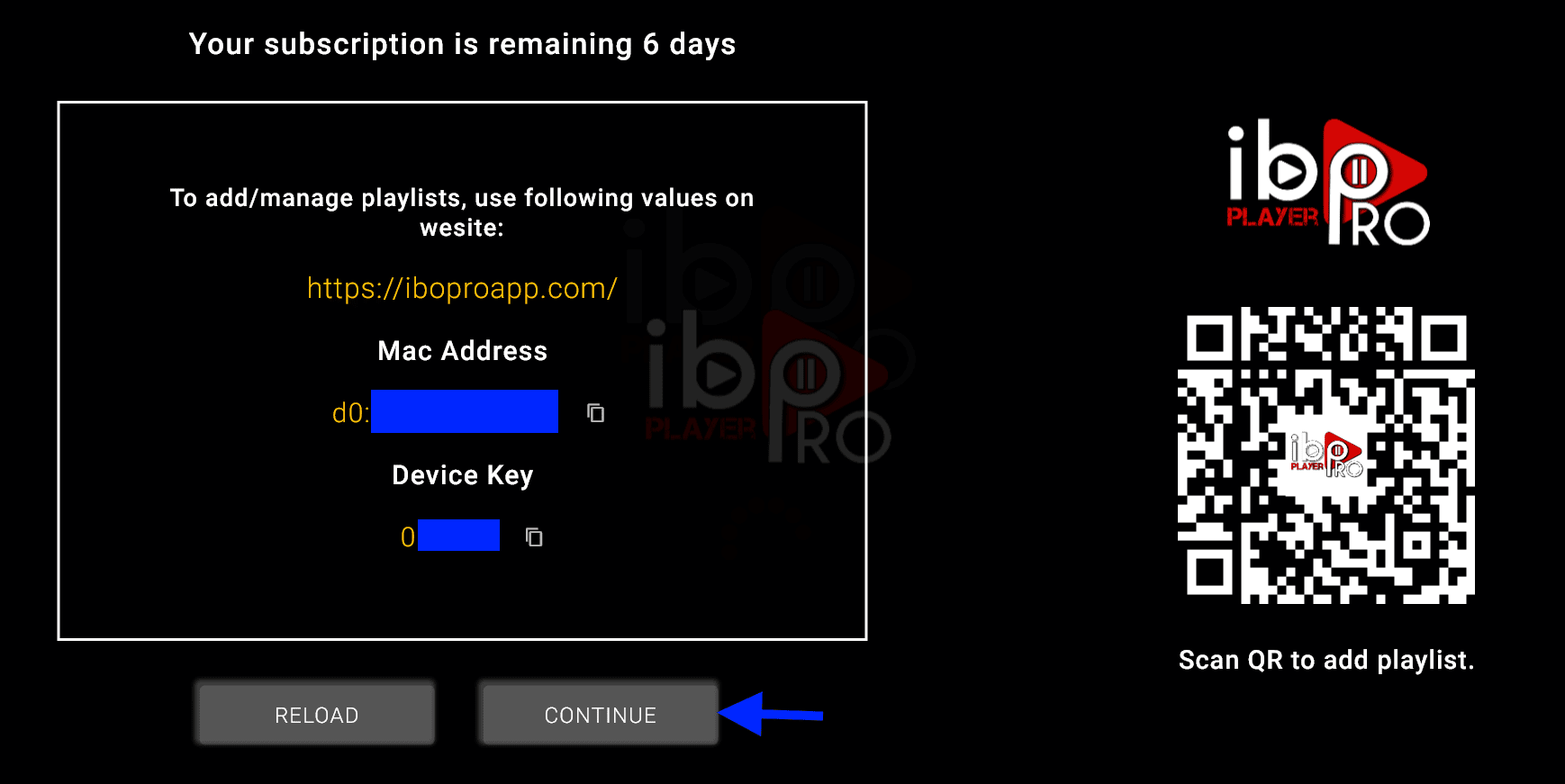
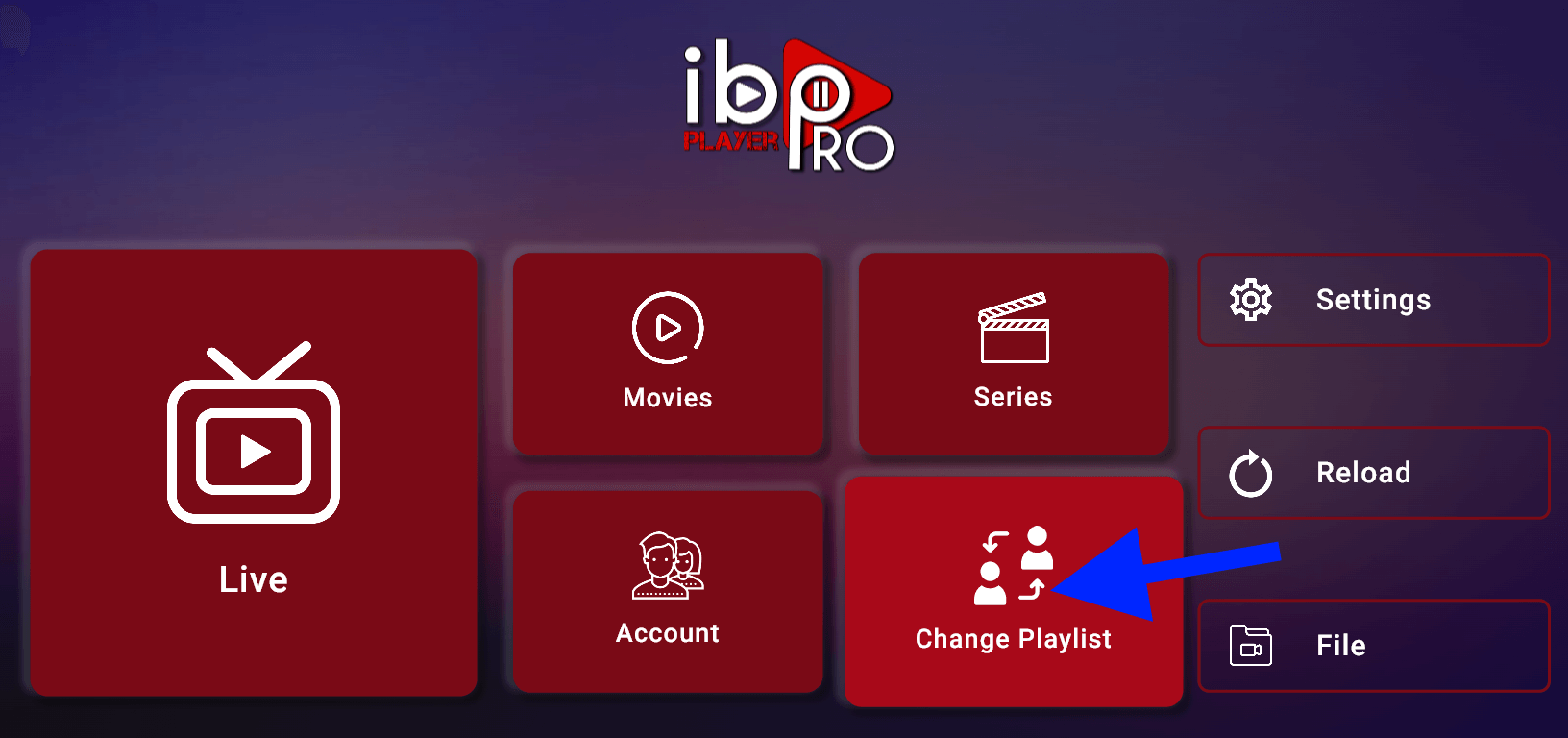
- Change Playlist. The app home page appears. Click on Change Playlist.
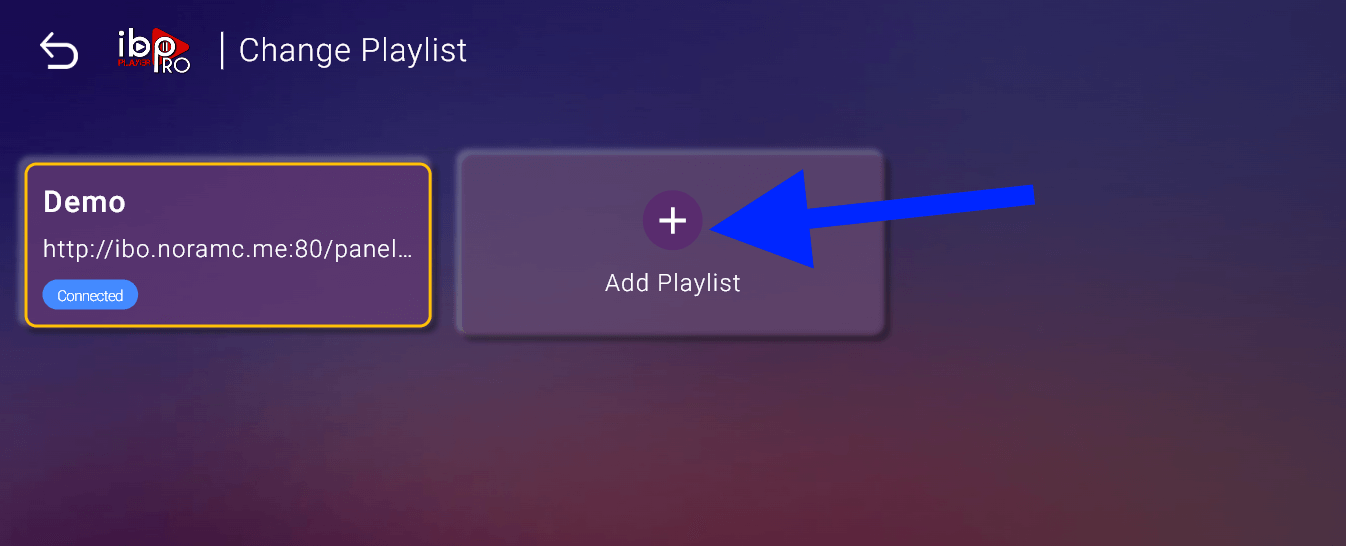
- Add Playlist. Click on Add Playlist.
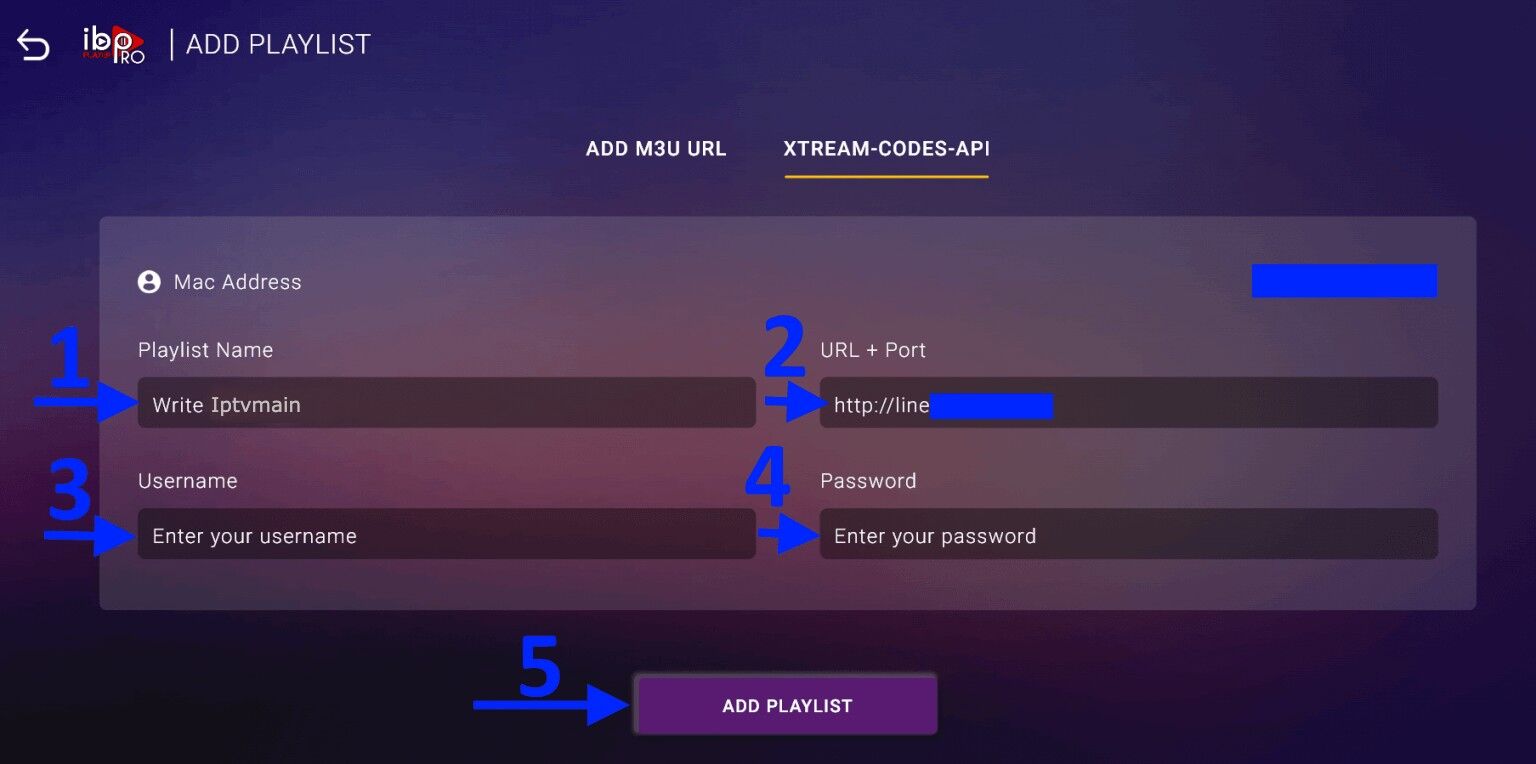
- Enter your login details. Select the Xtream-Codes-API tab and fill in the details from your subscription email (check your inbox and spam), then press Add Playlist.
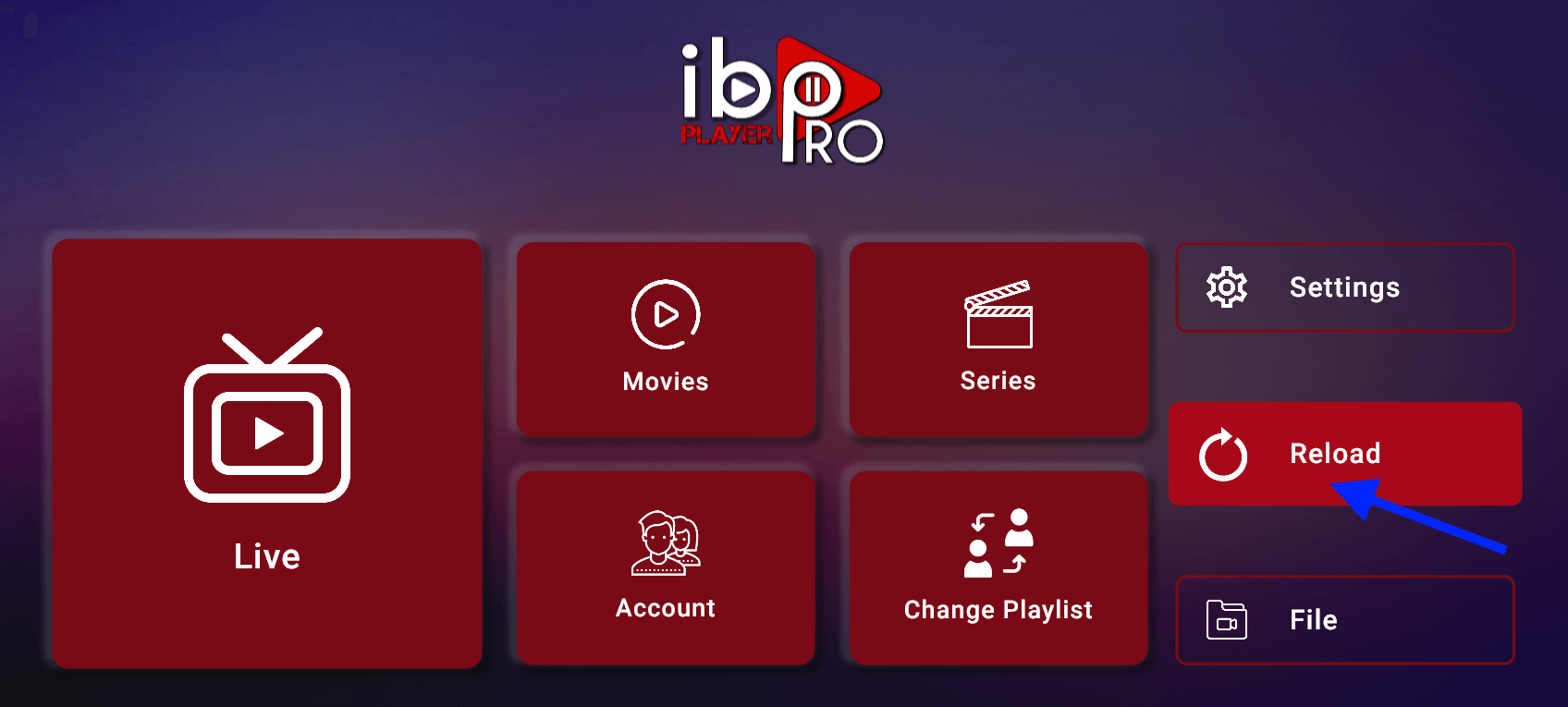
- Reload & enjoy. Make sure the playlist is connected back on the home page and click Reload. Enjoy your live channels, movies and series!
Still stuck? Take a photo of your MAC Address and Device Key and send it to contact@iptvmain.io or our live chat.
One-time activation
Activate IBO Player Pro
Activate the player once and it's ready for your IPTVMain subscription. Choose the option that suits you.
Need a hand setting up?
Our support team will guide you through installation on any device — or get you streaming with a free trial first.